
Software development ki duniya me jab aap ek fresher ke roop me enter karte hain, to rasta kaafi challenging lag sakta hai. Complex syntax, legacy codebases ko samajhna, bugs ko fix karna, aur daily deadlines ko meet karna—ye sab milkar ek beginner developer par stress badha dete hain. Kai baar simple coding errors ko solve karne me ghanton nikal jaate hain, jisse productivity down ho jati hai.
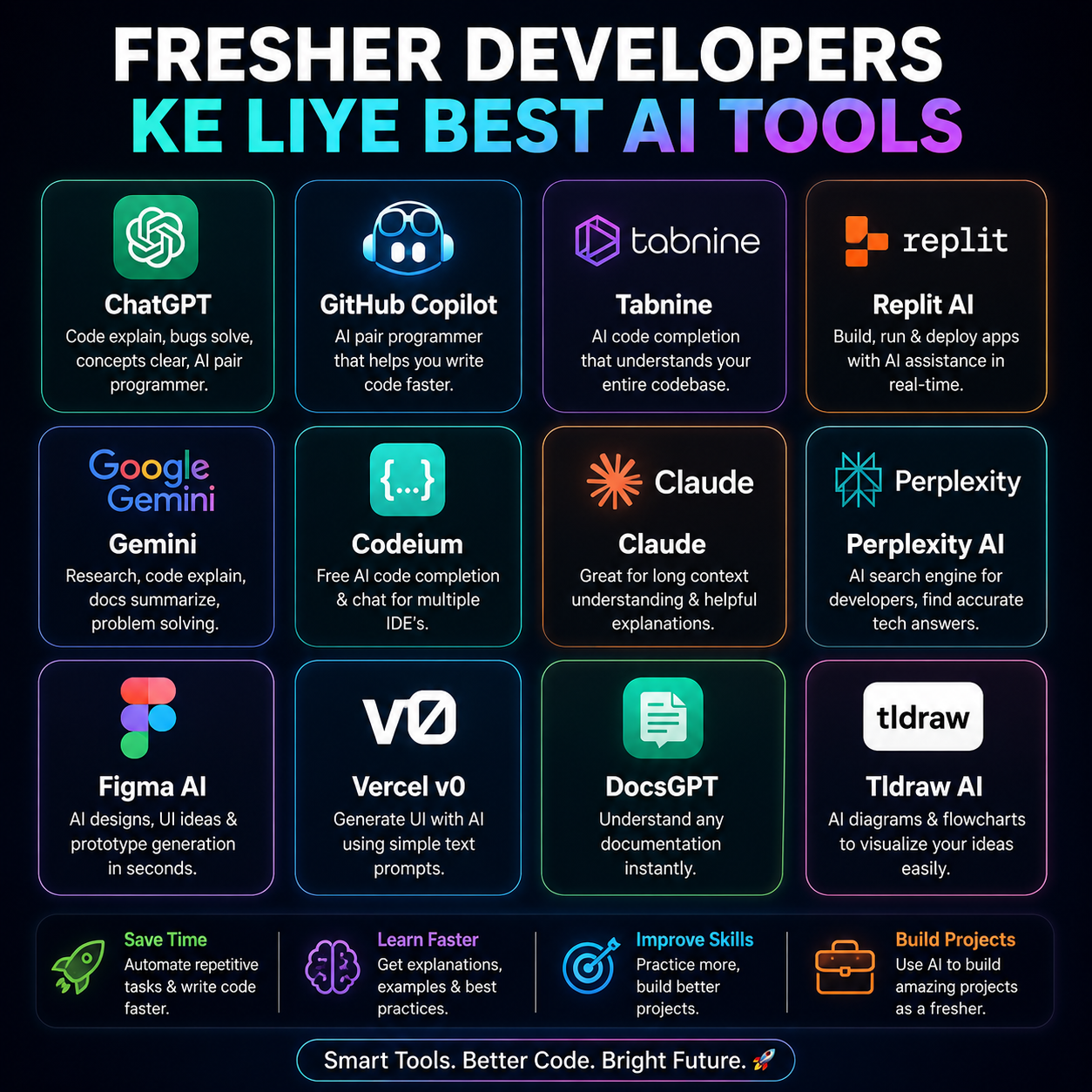
Yahi par AI coding tools (jaise ChatGPT, GitHub Copilot, aur Claude) ek game-changer ki tarah aate hain. Ye tools aapke liye ek 24/7 available personal senior developer ka kaam karte hain. Is tutorial me hum dekhenge ki kaise aap sahi AI prompts ka use karke apni coding speed ko 10x badha sakte hain aur ek smarter developer ban sakte hain! 🚀
🤖 The Core AI Prompts
AI se sahi output paane ke liye sahi prompt dena sabse zaroori hai. Neeche diye gaye prompts ko aap copy-paste karke directly ChatGPT ya kisi bhi LLM me use kar sakte hain.
1. Code Explainer Prompt (Complex Code ko Samajhne ke Liye)
Agar aapko koi difficult code block samajh nahi aa raha hai, to is prompt ka use karein:
Act as a Senior Software Engineer. Explain the following [Language] code block to me like I am a junior developer. Break down how the logic works step-by-step, explain any complex functions used, and tell me what the overall code does:

[Insert your code here]
2. Smart Bug Finder & Fixer Prompt
Apne code me se bugs dhundhne aur use optimal tarike se fix karne ke liye:
Act as an expert Debugger. Analyze the following [Language] code. Identify any syntax errors, logical bugs, potential memory leaks, or performance bottlenecks. Provide the corrected version of the code and explain exactly what was wrong and how you fixed it:

[Insert your buggy code here]
3. Boilerplate & Component Generator Prompt
React components, HTML structures, ya API routes ka boilerplate code jaldi generate karne ke liye:
Act as a frontend developer. Write a clean, modular, and responsive [Framework/Language, e.g., React/Tailwind] component for a [describe what you want, e.g., User Profile Card with a follow button]. Include comments explaining the state management and props.
4. Code Converter (Translate Code to Another Language)
Ek language ke code ko dusri language me convert karne ke liye:
Act as a multi-language programming expert. Translate the following [Source Language] code into [Target Language]. Ensure that the output follows the best practices and idiomatic patterns of the target language:

[Insert your source code here]
💻 Examples & Expected Results
Chaliye dekhte hain ki jab aap Prompt 2 (Bug Finder & Fixer) ko run karte hain, to aapko kaisa output milta hai.
Input Code (With Bug):
function calculateTotal(price) {
  let tax = 0.18;
  let total = price + (price * tax);
  return;
  console.log("Total price is: " + total);
}
calculateTotal(100);
AI Response (Expected Result):
AI aapko na sirf fixed code dega, balki logical explanation bhi dega:
// ✅ Fixed Code
function calculateTotal(price) {
  let tax = 0.18;
  let total = price + (price * tax);
  console.log("Total price is: " + total); // Moved before return
  return total; // Returning the actual calculated value
}

calculateTotal(100); // Output: Total price is: 118
Explanation provided by AI:
- Unreachable Code: Aapne
console.logkoreturnstatement ke baad likha tha. JavaScript mereturnexecution ko stop kar deta hai, isliye log kabhi print nahi hota. - Missing Return Value: Original function kuch return nahi kar raha tha. Humne
return total;add kiya hai taaki functional value future me use ho sake.
🔥 Top Use Cases: How It Saves Time & Money
AI tools ka sahi use karke freshers apna kafi samay bacha sakte hain. Yahan kuch top use cases diye gaye hain:
- Fast-Track Learning (Zero Training Cost): Jab aap kisi nayi technology (jaise Docker, Kubernetes, ya React Hooks) par kaam kar rahe hon, to AI aapko immediate code snippets aur concepts ka direct access deta hai. Kisi expensive bootcamp ki zaroorat nahi padti.
- Automated Unit Testing: AI seconds me unit tests generate kar sakta hai (using Jest, PyTest, etc.). Isse code quality improve hoti hai aur manual testing ka ghanton ka kaam minutes me ho jata hai.
- Documentation Writing: Developer ke liye documentation likhna sabse boring kaam hota hai. AI ko code dekar aap instantly professional README.md files aur inline comments generate kar sakte hain.
⚠️ Common Mistakes to Avoid
AI tools powerfull hain, lekin freshers aksar ye galtiyan karte hain:
- Mistake 1: Blindly Copy-Pasting Code ❌
- Symptom: AI jo code deta hai use bina samjhe project me run kar dena. Isse security flaws aur logical bugs create ho sakte hain.
- Fix: ✅ Hamesha code ko line-by-line read karein aur test environment me dry-run karne ke baad hi main codebase me merge karein.
- Mistake 2: Sharing Sensitive & Proprietary Data ❌
- Symptom: Apni company ke API Keys, Database credentials, ya private code ko ChatGPT/Claude par paste karna.
- Fix: ✅ AI ko prompt dete waqt hamesha placeholder values (jaise
YOUR_API_KEY,db_password) ka use karein.
- Mistake 3: Vague & Lazy Prompting ❌
- Symptom: "Write a login page" jise likhne par AI ek generic, useless code dega.
- Fix: ✅ Give context! Tech stack, styling framework, aur rules define karein (e.g., "Write a React login page using Tailwind CSS with email validation").
🙋♂️ FAQs (Frequently Asked Questions)
Q1. Kya AI tools ke use se fresher developers ki coding skills weak ho jayengi?
Ans: Nahi, agar aap ise ek learning tool ki tarah use karein. AI dwara generate kiye gaye code ko copy karne ke sath-sath uske peeche ka logic samjhein. AI aapko syntax seekhne me jaldi madad karta hai, jisse aapki problem-solving ability behtar hoti hai.
Q2. Freshers ke liye best free AI coding tools kaun se hain?
Ans: Free tiers me ChatGPT (GPT-4o mini), Claude (Sonnet) code explanations ke liye best hain. Code completion aur editor integration ke liye VS Code Copilot (Free trial), Tabnine, aur Codeium best free/freemium alternatives hain.
Q3. Kya AI tools pure projects khud se bana sakte hain?
Ans: Nahi. AI tools snippets, debugging, aur boilerplates generate karne me mahir hain. Ek scalable aur secure project architecture design karne ke liye human logic, system design knowledge aur critical thinking ki zaroorat hoti hai.


